
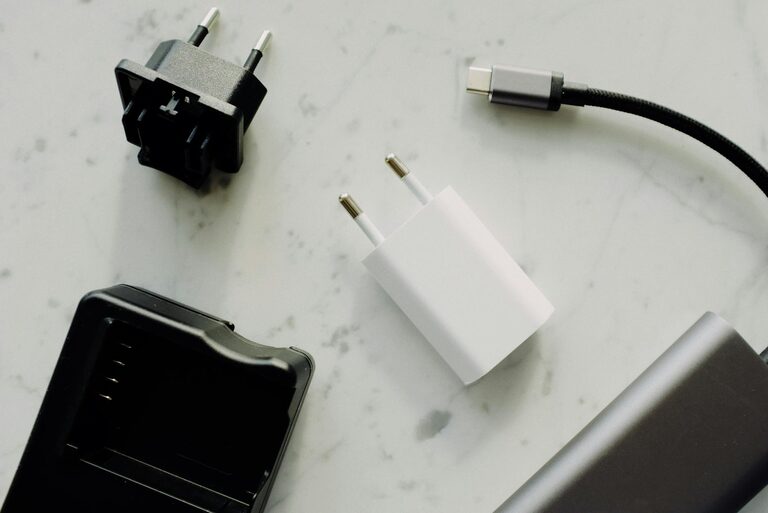
Creating a convenient charging station for your devices can help reduce clutter, keep your gadgets organized, and ensure everything is ready to go when you need it. Whether you have smartphones, tablets, smartwatches, or other rechargeable devices, setting up a dedicated spot for charging simplifies your daily routine. In this post, we’ll guide you through the process of designing, assembling, and maintaining an efficient charging station at home.
Why Set Up a Charging Station?
Having multiple devices in one household often means many chargers and cables scattered around the house. A charging station helps:
– Reduce clutter: No more tangled cables or searching for chargers.
– Save space: Consolidate devices and power sources on a single surface.
– Improve accessibility: Devices are always in a known location with full batteries.
– Increase safety: Proper cable management reduces tripping hazards and device damage.
Step 1: Choose the Right Location
Selecting the right place for your charging station is key.
– Accessibility: Place the station in a central, frequently used area like the living room, kitchen counter, or home office.
– Power outlets: Ensure there are enough outlets nearby to support your charging needs.
– Surface space: Look for a flat and stable surface such as a small table, shelf, or desk.
– Ventilation: Avoid enclosed spaces where devices may overheat during charging.
Step 2: Assess Your Devices and Charging Needs
Before buying any accessories, list the devices you want to charge regularly. Consider:
– Number and type of devices (smartphones, tablets, e-readers, smartwatches, wireless earbuds).
– Charging methods (wired USB, wireless Qi charging).
– Cable types (USB-C, Lightning, Micro-USB).
– Power requirements (fast charging capability, USB power delivery).
Understanding your device lineup helps choose the right power adapters, cables, and organizers.
Step 3: Gather Charging Station Supplies
Based on your needs, gather the essentials:
Power Sources
– Multi-port USB charger: A single wall charger with multiple USB ports reduces the number of adapters needed.
– Power strip or extension cord: Useful if you have limited wall outlets, but look for one with surge protection.
– Wireless charging pads: For compatible devices, wireless chargers reduce cable clutter.
Cable Management Tools
– Cable clips or holders
– Velcro straps or zip ties
– Cable boxes or sleeves to hide excess cable length
Organizers and Holders
– Device stands or docks help keep devices upright and visible.
– Small trays, baskets, or drawers can hold accessories like headphones or power banks.
Step 4: Set Up Your Charging Station
Follow these steps to assemble your charging area:
- **Clear the surface:** Remove unnecessary items to maximize space.
- **Position the charger:** Plug in your multi-port charger or power strip near the back edge.
- **Arrange devices:** Place device stands or holders in front of the charger.
- **Connect cables:** Attach charging cables to the power source and organize them neatly using clips or ties.
- **Store excess cables:** Coil and store any spare cable length inside cable boxes or use cable sleeves to keep the setup tidy.
- **Label cables (Optional):** Use small labels to identify cables, especially if several look similar.
Step 5: Tips for Maintaining Your Charging Station
Keeping your station organized over time requires minor effort:
– Regular tidying: Check cables weekly and rearrange if necessary.
– Replace damaged cables: Faulty cables can slow charging or damage devices.
– Keep the surface clean: Dust and wipe the area to prevent buildup.
– Avoid overloading: Use chargers within their recommended limits to prevent overheating.
– Reassess device needs: Update your setup as you add or remove devices.
Optional Enhancements
If you want to customize your charging station further:
– Add a small clock or calendar to keep track of time.
– Use color-coded cables to match device colors or room décor.
– Integrate a small LED lamp for easy device visibility at night.
– Mount shelves or wall organizers if counter space is limited.
Conclusion
Setting up a charging station is a simple and effective way to keep your devices powered and organized. By carefully selecting the location, understanding your charging needs, and using cable management tools, you can create a clutter-free space that makes daily charging hassle-free. With a little planning and maintenance, your charging station will become a convenient central hub for all your gadgets.
Ready to get started? Gather your devices and chargers, pick the perfect spot, and create your personalized charging station today!